> ## Documentation Index
> Fetch the complete documentation index at: https://docs.pdfnoodle.com/llms.txt
> Use this file to discover all available pages before exploring further.
# Overview
### Dashboard
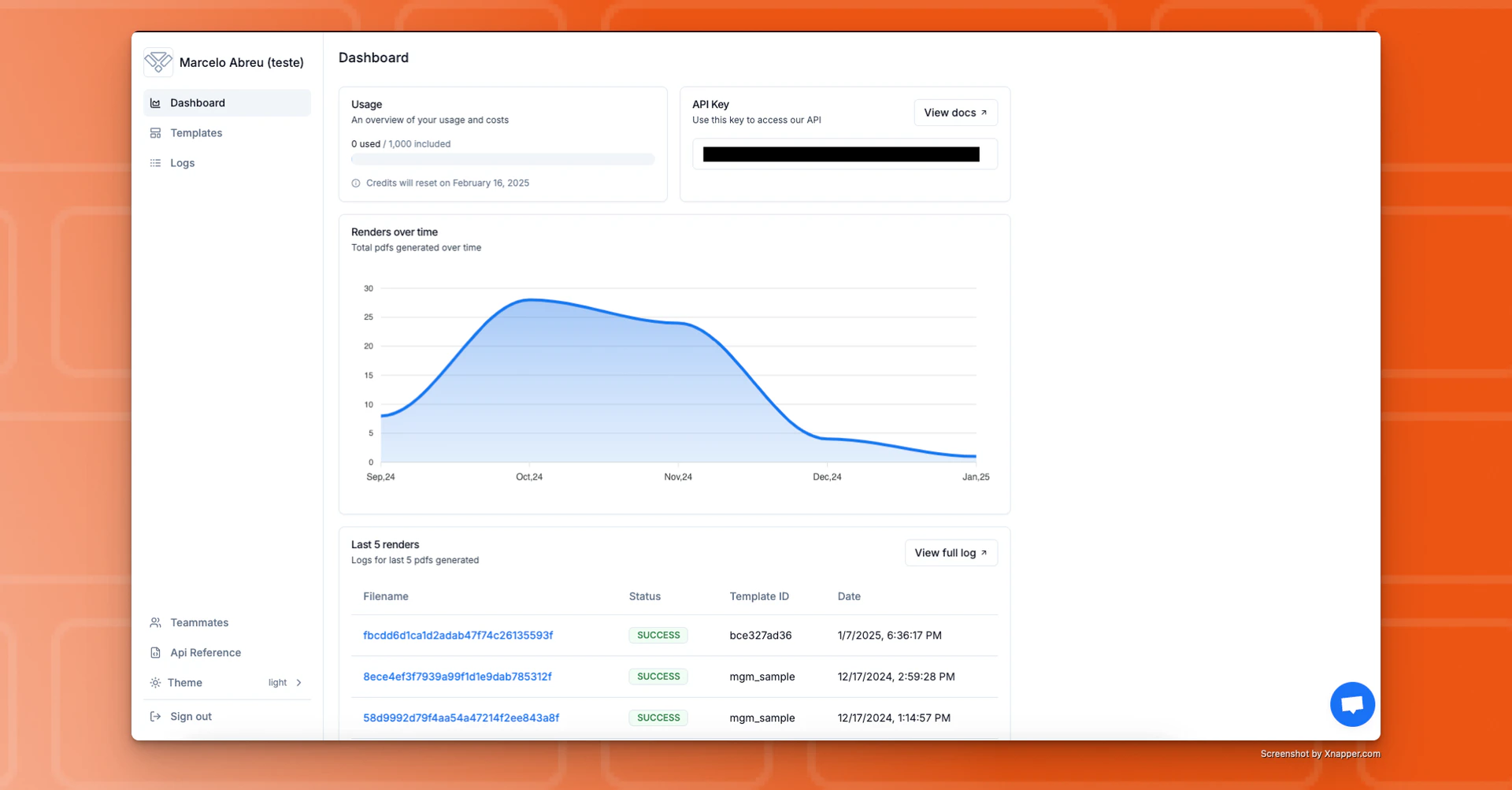 This is your home page, where you can:
• Monitor your product usage.
• View your API key.
• Check the last 5 PDFs/images you generated.
***
### Templates
This is your home page, where you can:
• Monitor your product usage.
• View your API key.
• Check the last 5 PDFs/images you generated.
***
### Templates
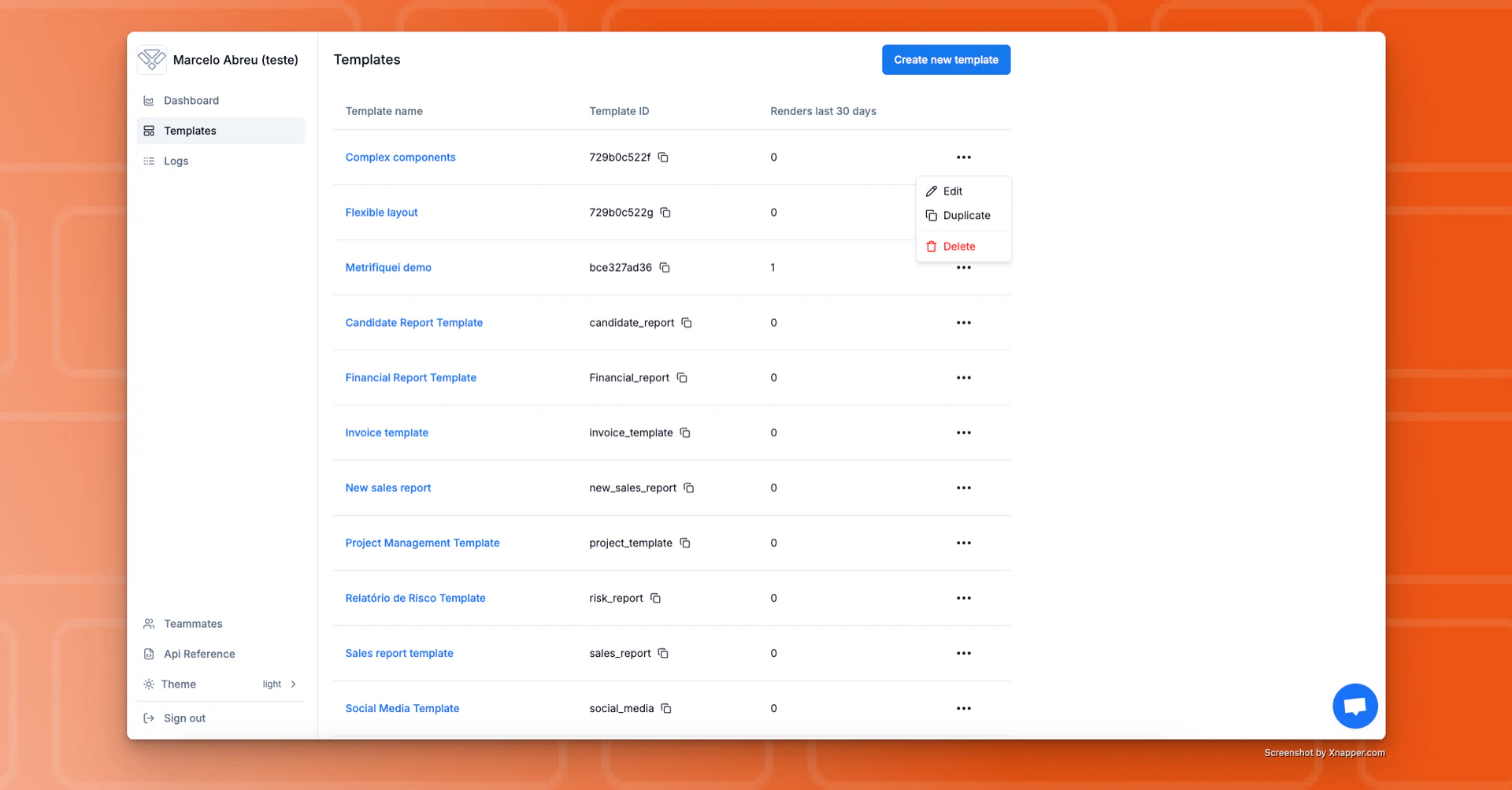 This section lists all your available templates.
Every user on your team has permission to **view**, **edit**, **duplicate**,
or **delete** any template at any time.
This section lists all your available templates.
Every user on your team has permission to **view**, **edit**, **duplicate**,
or **delete** any template at any time.
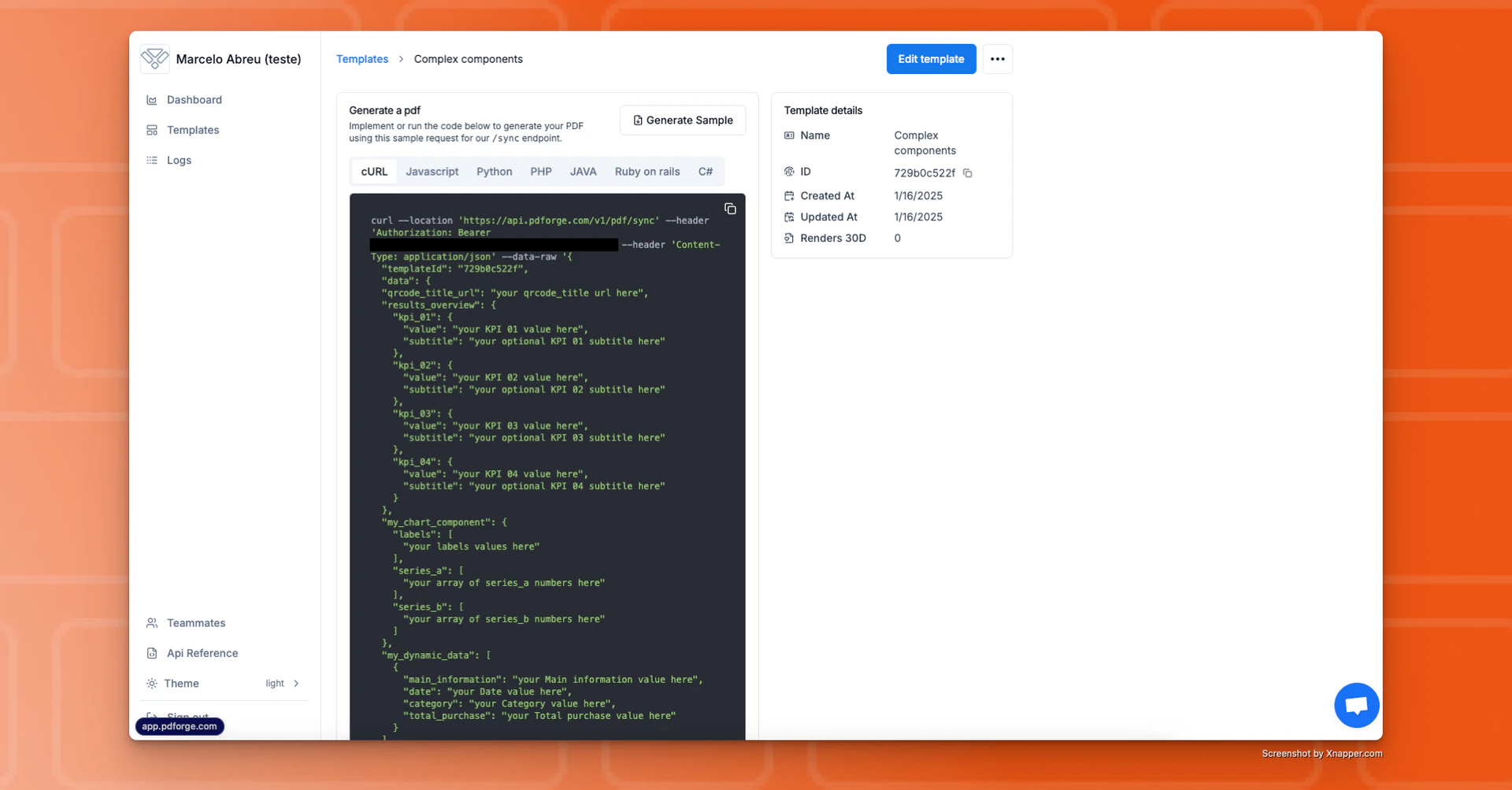 You can see all the variables for a template or how to implement it by clicking on it.
***
### Logs
You can see all the variables for a template or how to implement it by clicking on it.
***
### Logs
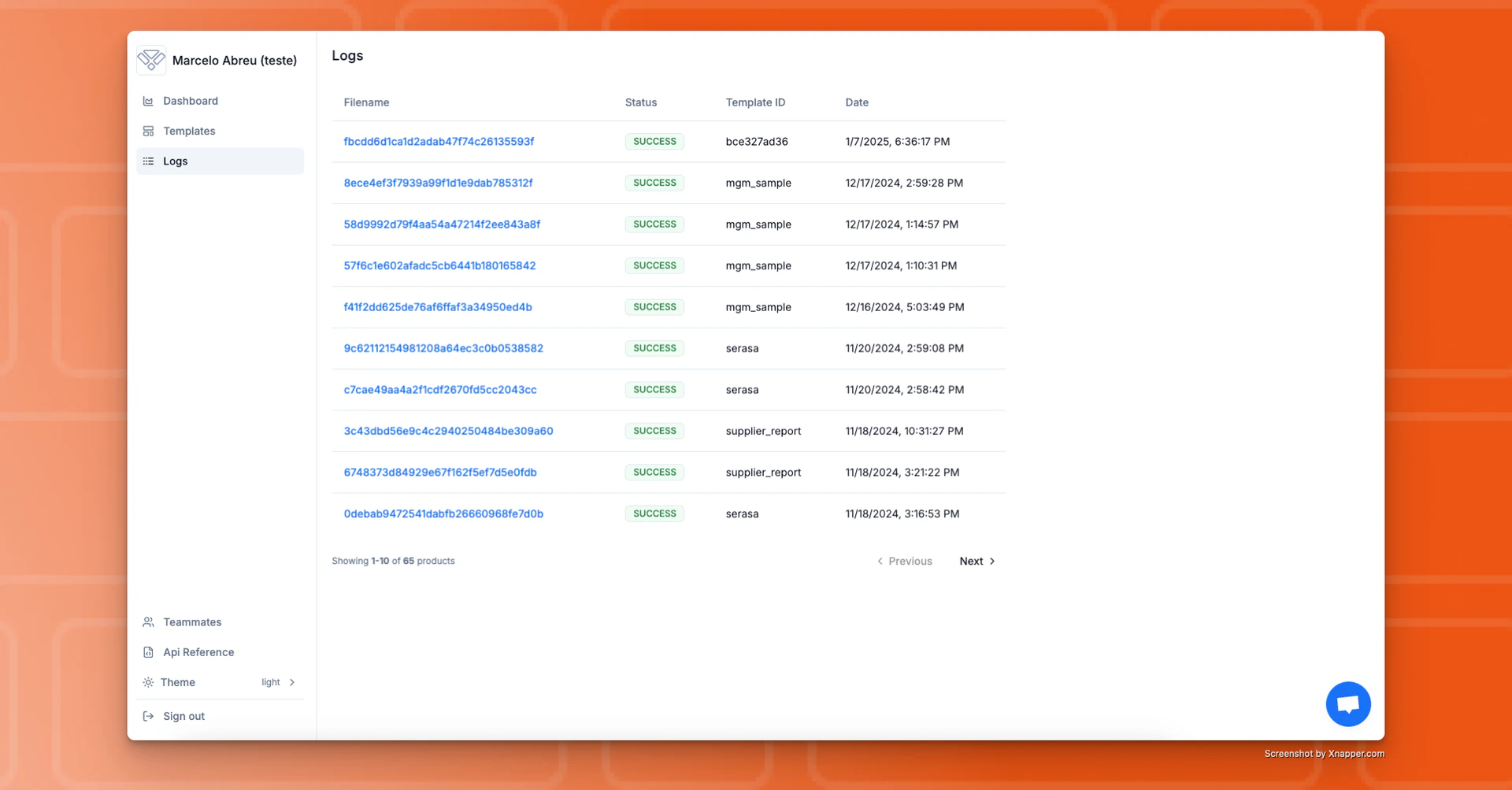 In the Logs section, you’ll find a record of all the renders you made using pdf noodle.
To view a generated PDF, simply click on its filename.
**The log files are retained for 90 days**. After that period, you will no longer be able to access them within pdf noodle, so we recommend saving them directly to your own bucket.
***
### Teammates
In the Logs section, you’ll find a record of all the renders you made using pdf noodle.
To view a generated PDF, simply click on its filename.
**The log files are retained for 90 days**. After that period, you will no longer be able to access them within pdf noodle, so we recommend saving them directly to your own bucket.
***
### Teammates
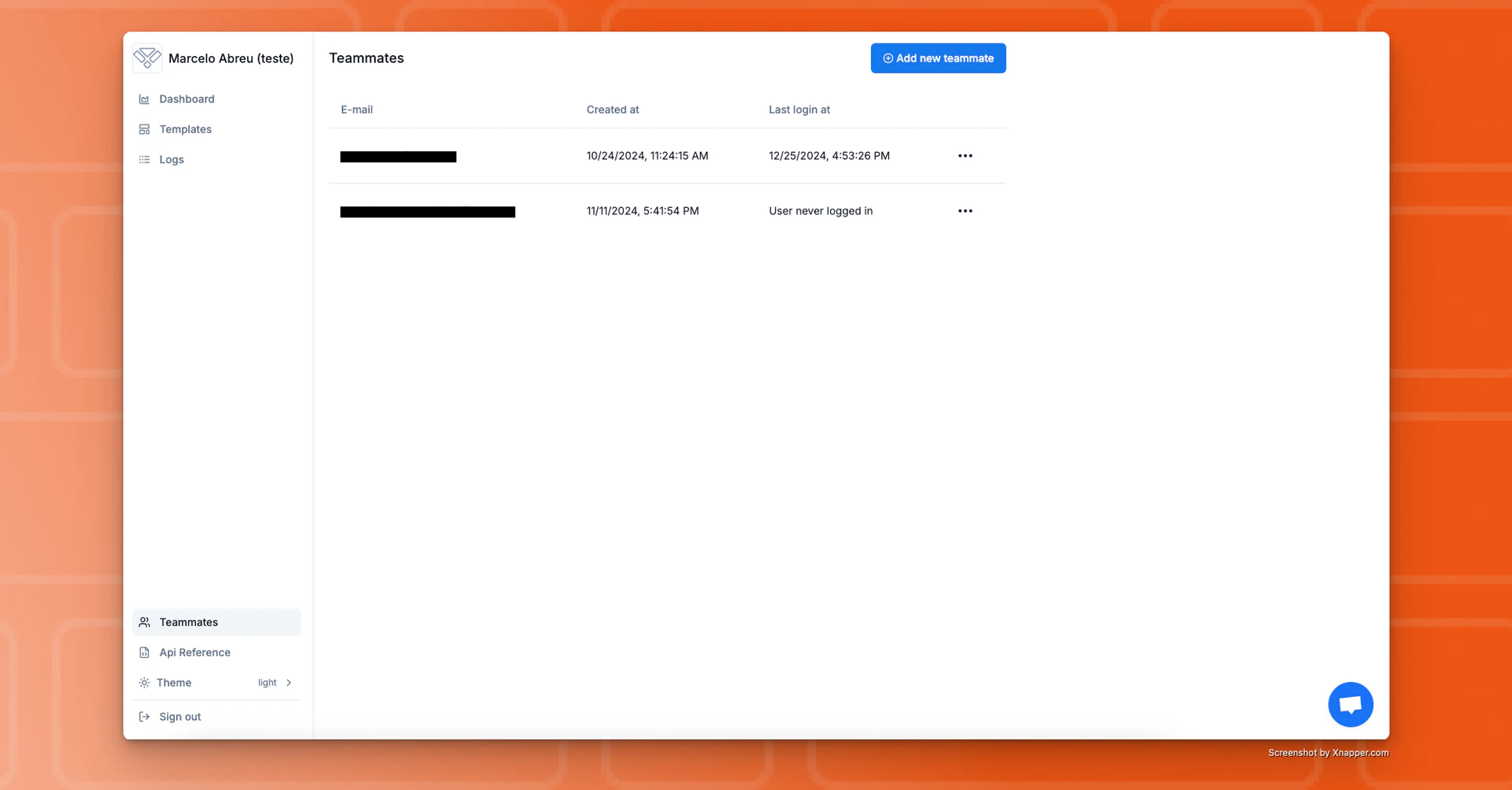 Here, you can manage your team members.
Every user on your team has permission to **invite** or **delete** other users
at any time.
***
### F.A.Q.
The usage period starts when the first payment for pdforge was made, after the 7-day trial period ends.
You can access the generated pdf file for up to 30 days. After that, we only maintain the reference of the file, but it's no longer accessible.
Not currently. Every user have the same permission and can do anything inside the application.
If you didn’t find what you were looking for in the knowledge base, feel free to contact us at [support@pdfnoodle.com](mailto:support@pdfnoodle.com). We’ll get back to you as quickly as possible!
You'll have access to your API Key once you start your 7-day free trial, after the onboarding flow.
Here, you can manage your team members.
Every user on your team has permission to **invite** or **delete** other users
at any time.
***
### F.A.Q.
The usage period starts when the first payment for pdforge was made, after the 7-day trial period ends.
You can access the generated pdf file for up to 30 days. After that, we only maintain the reference of the file, but it's no longer accessible.
Not currently. Every user have the same permission and can do anything inside the application.
If you didn’t find what you were looking for in the knowledge base, feel free to contact us at [support@pdfnoodle.com](mailto:support@pdfnoodle.com). We’ll get back to you as quickly as possible!
You'll have access to your API Key once you start your 7-day free trial, after the onboarding flow.